

Quick answer: To use LinkedIn to land a job, build a complete professional profile with a decent photo, a catchy headline, and a strong summary; highlight your experience and skills with keywords; expand your network effectively; post and engage with professional content; and activate the "Open to Work" feature. The golden rule: LinkedIn isn't just a digital CV, but an active networking platform — the more your professional visibility and engagement grow, the more employers and recruiters can reach you.
Introduction: Why Is LinkedIn the Most Powerful Job-Search Tool?
In modern hiring, LinkedIn is no longer just an extra option, but the leading professional platform employers and recruiters rely on to find talent. Many opportunities aren't advertised anywhere else — recruiters find them directly by searching user profiles.
LinkedIn differs from other platforms because it combines two advantages: being your digital CV available to the world, and being a live networking platform that lets you connect with professionals and decision-makers in your field.
In this guide, you'll learn how to turn your LinkedIn profile from a static page into a powerful tool that attracts opportunities, step by step. This guide complements the online job search strategy, where LinkedIn is one of its most important channels.
Step 1: Build a Complete Professional Profile
Your LinkedIn profile is your first impression, and a recruiter may see it before your CV. An incomplete profile reduces your chances of appearing in search results.
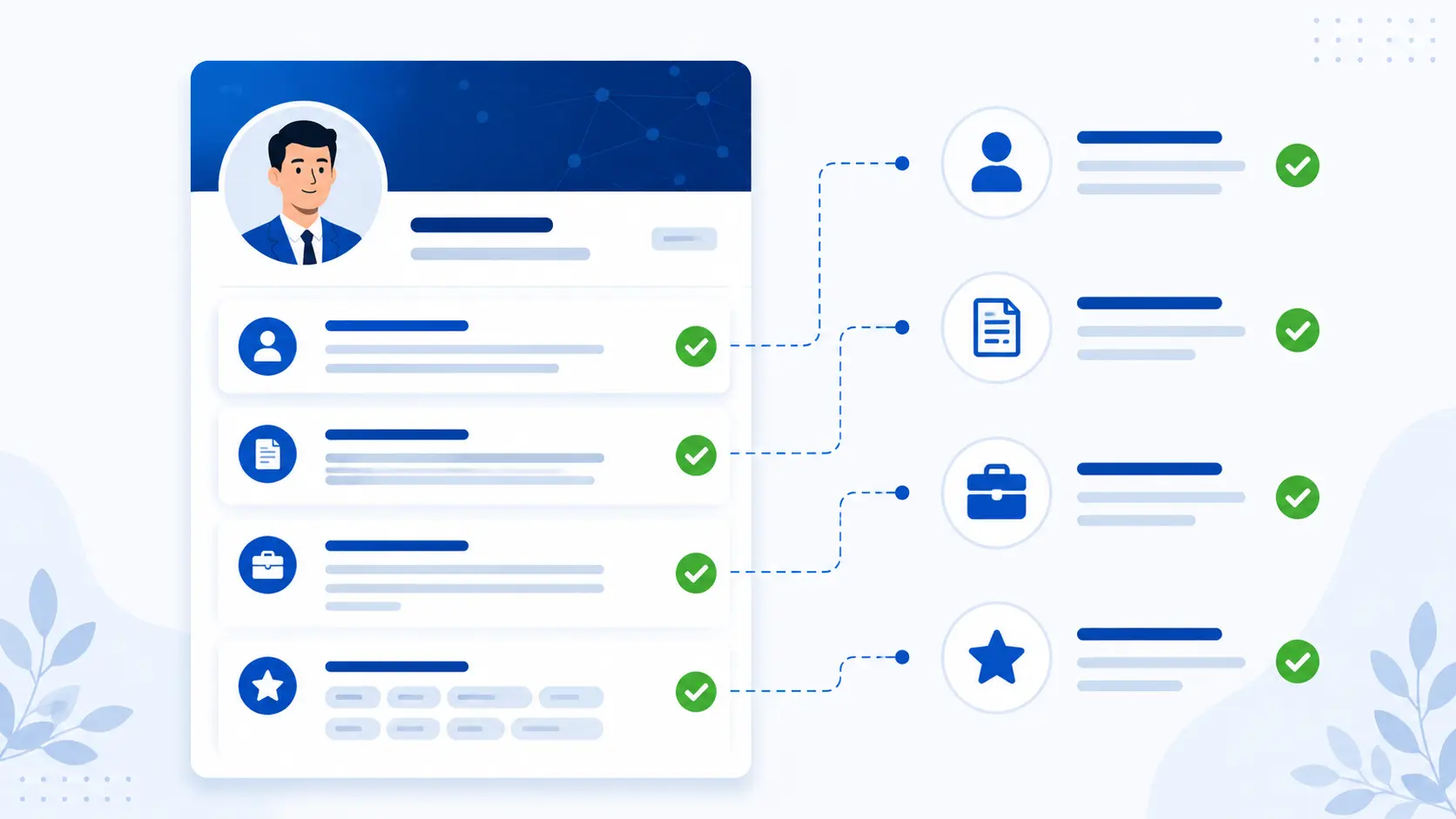
Elements of a professional profile:
A professional photo: clear and decent, as profiles with photos get far more engagement.
A suitable background image: reflecting your field or professional identity.
A catchy headline: don't settle for your title — highlight your specialty and value.
A strong summary (About): tell your professional story and highlight what you offer in a few lines.
A fully complete profile appears more in search results and leaves an immediate professional impression.
Step 2: Highlight Your Experience and Skills Smartly
The experience and skills section is the heart of your profile, and it's what recruiters search. Phrasing it smartly greatly raises your visibility.
To improve this section:
Write your experience as numerical achievements, not just duties, exactly as in your CV.
Add the most in-demand skills in your field, as recruiters search by them.
Use keywords employers search for in your field.
Ask for endorsements from your colleagues for your skills.
The richer your profile is with the right keywords, the more you appear in recruiters' searches.
Step 3: Expand Your Network Effectively
LinkedIn's real power is in your network. The wider your professional network, the more your access to opportunities and the more opportunities reach you.
To build a strong network:
Connect with your colleagues, current and former.
Add professionals in your field with a polite introduction message.
Follow the companies you aspire to work for.
Connect with recruiters in your field.
Don't just collect random connections — build a quality network relevant to your field and career goals.

Step 4: Post and Engage With Professional Content
Consistent visibility keeps you in your network's memory. Active members who post and engage get far more visibility than silent profiles.
For effective engagement:
Share useful content in your field (articles, ideas, achievements).
Comment smartly on others' posts in your field.
Engage regularly, even a few minutes daily.
Write about your professional experiences and lessons.
Regular activity builds your professional reputation and makes you visible to opportunities and decision-makers.
Step 5: Use the Job-Search Tools
LinkedIn offers tools dedicated to job seekers — take full advantage of them:
Activate the "Open to Work" feature to inform recruiters of your interest.
Use advanced job search with precise filters.
Activate job alerts for jobs matching your criteria.
Apply directly via the "Easy Apply" feature when suitable.
Follow companies to receive their new jobs the moment they're posted.
These tools make LinkedIn an active search platform, not just a static profile.
How Do You Write a Catchy Headline?
The headline is the first thing read after your name, and it appears in all search results and comments. A strong headline sets you apart instantly.
Instead of writing just your title:
Highlight your specialty and value: what do you excel at and offer?
Add keywords recruiters search for.
Keep it concise, clear, and professional.
Example: instead of "Accountant," write "Certified Accountant | Expert in Financial Analysis and Budgeting." This headline says more and appears in a wider search.
Common Mistakes on LinkedIn
An incomplete profile or one without a professional photo.
A weak headline that settles for the title without value.
Complete silence with no posting or engagement.
Connection requests with no message or context.
Copying CV content verbatim without adapting it to the platform's nature.
Neglecting the keywords recruiters search for.
Avoiding these mistakes turns your profile from a forgotten page into an effective attraction tool.
Tips to Make Your Profile Attract Recruiters
Update your profile continuously with your latest experience and skills.
Collect recommendations from your managers and colleagues.
Customize your profile URL to be professional and clean.
Monitor who visited your profile to gauge recruiter interest.
Be active well before searching for a job, not just when you need it.
For additional professional tips on using LinkedIn, you can refer to trusted resources such as Indeed's LinkedIn guide.
Conclusion
LinkedIn is the most powerful free job-search tool of our time, but its power lies in how you use it. A complete professional profile, rich with keywords, backed by a strong network and continuous engagement — this is what turns it from a static page into a magnet for opportunities.
Start today by improving your profile step by step, and be active before you need the job. Remember: recruiters search for talent on LinkedIn every day, and the question is: will they find you? Make your profile ready to be the answer.
Frequently Asked Questions About Using LinkedIn
How do I use LinkedIn to search for a job?
Build a complete professional profile with a decent photo, catchy headline, and strong summary; highlight your experience with keywords; expand your network; post and engage with professional content; and activate the "Open to Work" feature and job-search tools.
What's the most important element of a LinkedIn profile?
A fully complete profile is the foundation, especially the professional photo, headline, and keyword-rich summary. These elements determine your visibility in recruiter searches and their first impression of you.
Should I be active on LinkedIn?
Yes, regular activity (posting and engaging) greatly increases your visibility to opportunities and decision-makers. Active profiles get more opportunities than silent ones. Be active well before you need the job, not just when you need it.
What is the "Open to Work" feature?
A feature that lets you inform recruiters of your interest in new opportunities. It can be made visible to everyone or to recruiters only. Activating it raises recruiters' chances of reaching you directly when searching for candidates in your field.
Your Practical Step Now
Don't delay. Today only:
Improve your headline to highlight your specialty and value with keywords, or
Add a professional photo and write a strong summary that introduces you professionally.
A small start today beats the perfect profile you never complete.